To access the Payment Page feature, first log in to Crown.
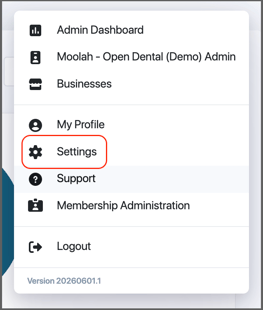
- Click your profile icon in the upper-right corner of the screen.
- Select Settings.
Note: Do not open the Admin Dashboard. You must access the Practice Admin Settings page.
3. In the Settings menu, select Payment Page.
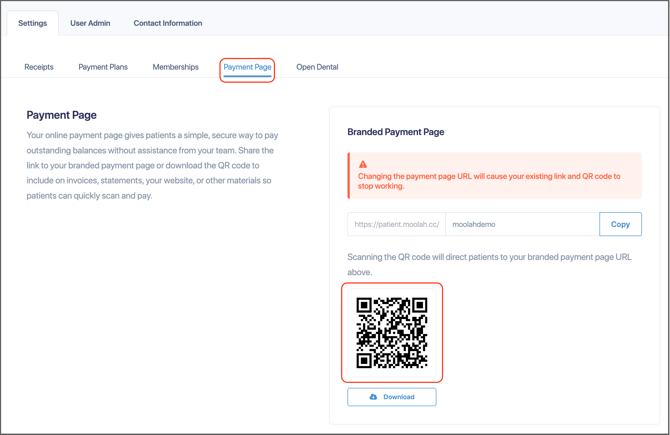
The Payment Page screen displays:
- The Payment Page URL, which you can copy and share with patients.
- A QR code linked to the Payment Page, which can be downloaded for printing, posting, or sharing digitally.