
- Navigate to the patient’s profile.
- Click on Stored Cards in the top right of the profile page.
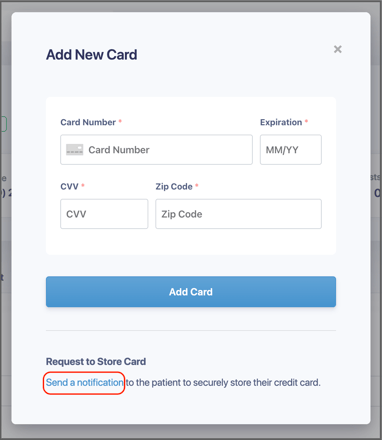
- Click the blue text at the bottom of the card storage that says Send a notification. This will send a text to the patient to securely store their own card info.
For security reasons, once the card is stored it becomes tokenized, meaning the sensitive information on it cannot be seen. Only the last four digits of the card and expiration date are viewable on the patient profile.