
- Sign in to your GoDaddy merchant account at commerce.godaddy.com.
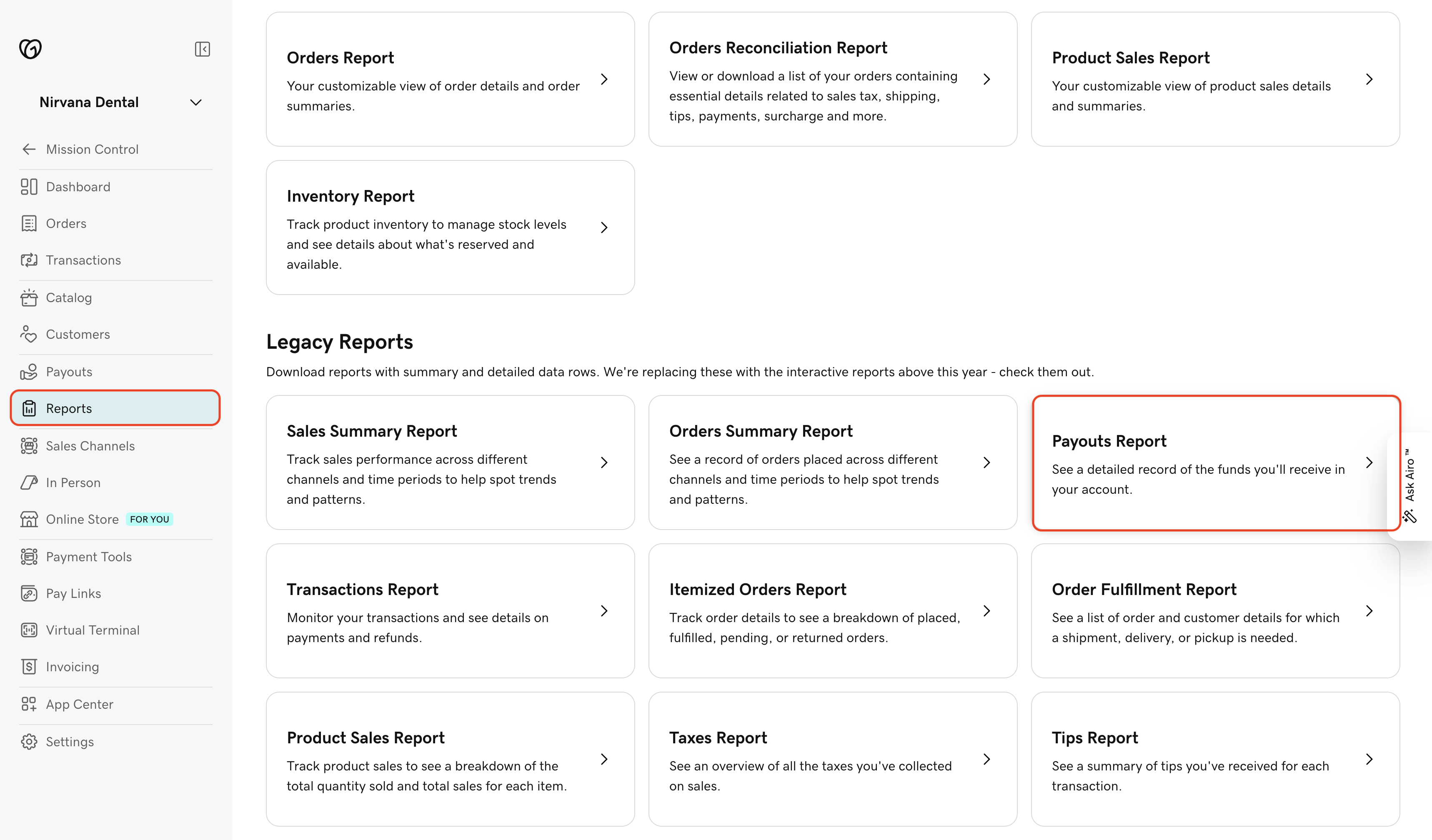
- Select Reports in the left menu.
- Scroll down to Legacy Reports and select Payout Report.
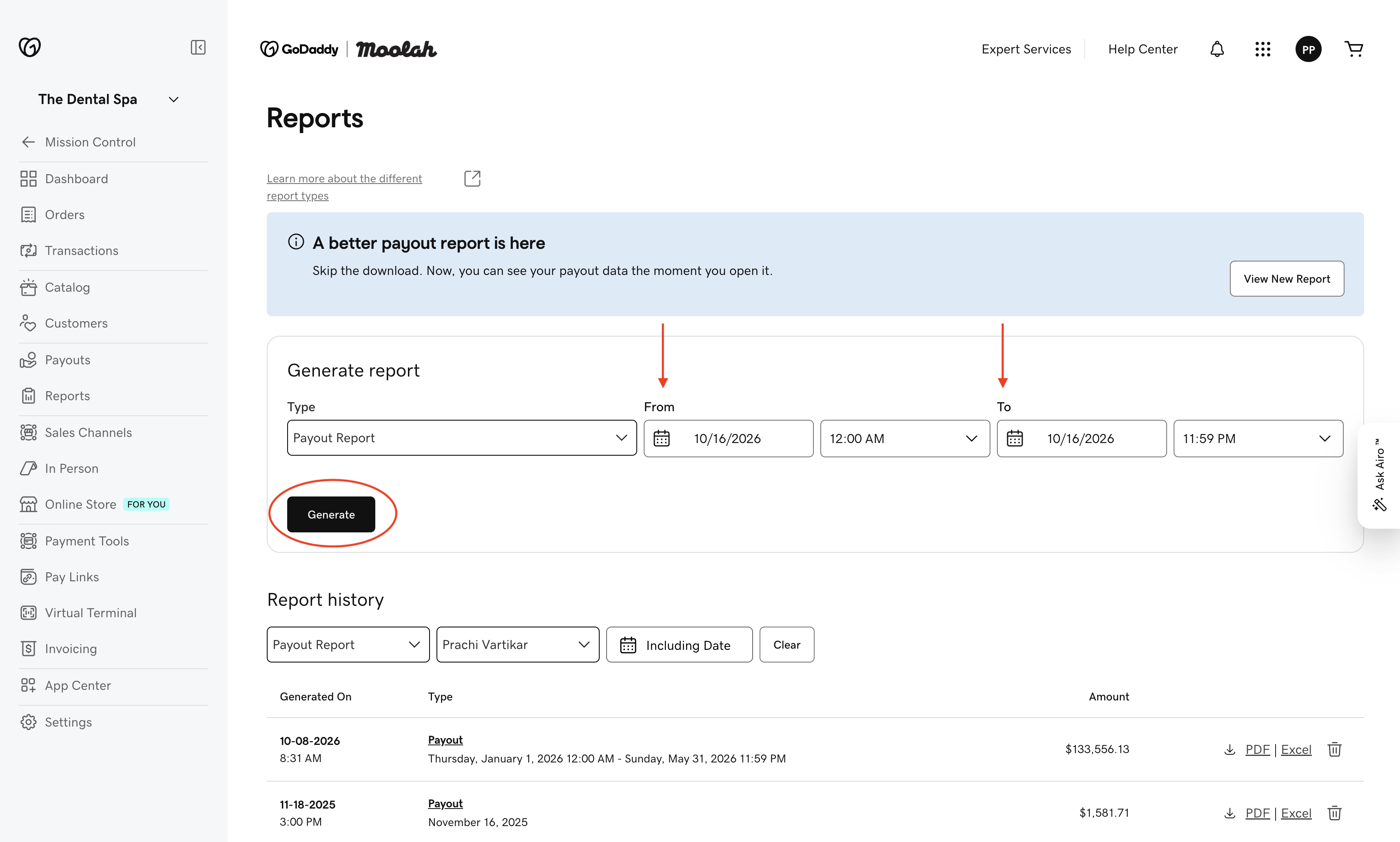
- Choose your date range, then generate the report.
Note:
Reports for longer date ranges can take more time to generate. You'll get an email when the report is ready.
To find a report you downloaded before, see Report history on the Reports page.