
Choose how patients get a receipt after paying on your GoDaddy Poynt terminal. This setting applies to payments you send from Crown Connect to the terminal.
Change the setting
- Select your name in the menu at the top right, then select Settings.
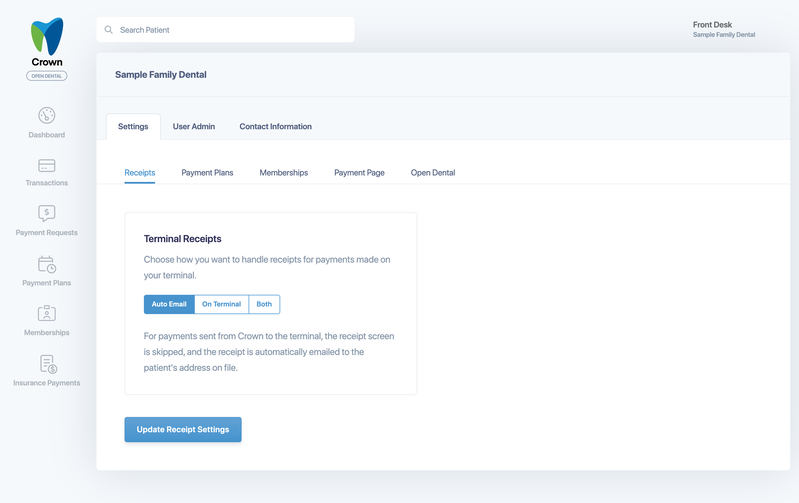
- On the Settings tab, select Receipts.
- Under Terminal Receipts, choose an option.
- Select Update Receipt Settings.
The options
- Auto Email: the terminal skips its receipt screen, and Crown emails the receipt to the patient's email address on file.
- On Terminal: after payment, the terminal lets the patient choose a printed, emailed or texted receipt, or no receipt.
- Both: the terminal shows its receipt options, and Crown also emails a receipt to the patient's email address on file.
Good to know:
- The receipt options on the terminal depend on the receipt settings in your GoDaddy merchant portal.
- If you choose Both, turn off the email receipt option on the terminal so patients don't get two receipts.
- Crown only emails a receipt when the patient has an email address on file. After an approved payment, Crown tells you when a receipt has been sent to the patient's email.