
When you take a payment on your GoDaddy Poynt terminal, you can ask the patient to save their card in Crown Connect at the same time. Once they agree and the payment is approved, the card is added to the patient's Stored Cards, ready for future payments.
Note:
Storing cards from terminal payments is available only for practices using Crown Connect.
Store a card during a terminal payment
- Send the payment from Crown to the terminal. See Take a payment on your GoDaddy Poynt terminal.
- When the payment appears on the terminal, tap Ask to save card before the patient taps, inserts or swipes their card.
- The patient sees a consent screen on the terminal and agrees to store their card.
- The patient completes the payment.
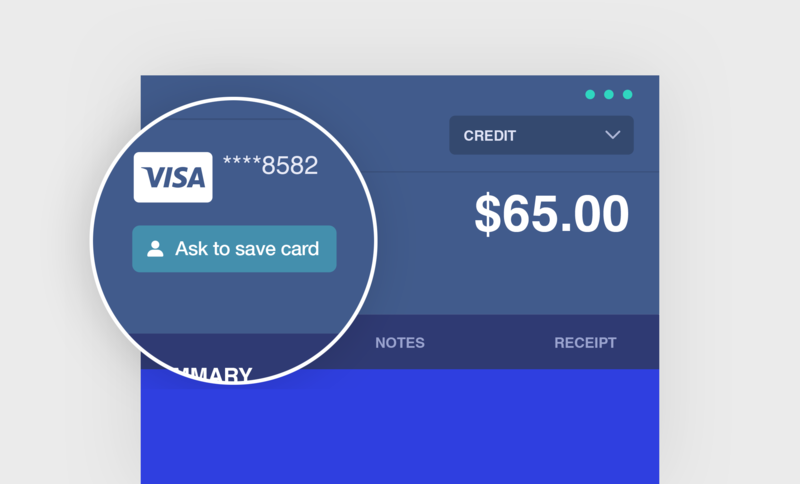
Once the payment is approved, the card is added to the patient's Stored Cards in Crown. If it's the first card saved for the patient, it becomes their default card. To view or change stored cards, see Manage a patient's stored cards.
Payments started on the terminal
You can also store a card when the payment is started directly on the terminal instead of from Crown. In that case, the patient is asked to enter their email address, and the payment shows in Crown as Unassociated.
Note:
Associate the payment with the right patient within 72 hours, or the card won't be saved. See Match an unassociated payment to a patient.
If you don't see Ask to save card
- Restart the terminal.
- If the button still doesn't appear, chat with us in Crown and we'll enable it for you.